
Smart Cloud POS & Digital Catalog System
Streamline multi-store sales, instant QR menus, and real-time inventory in one unified platform.
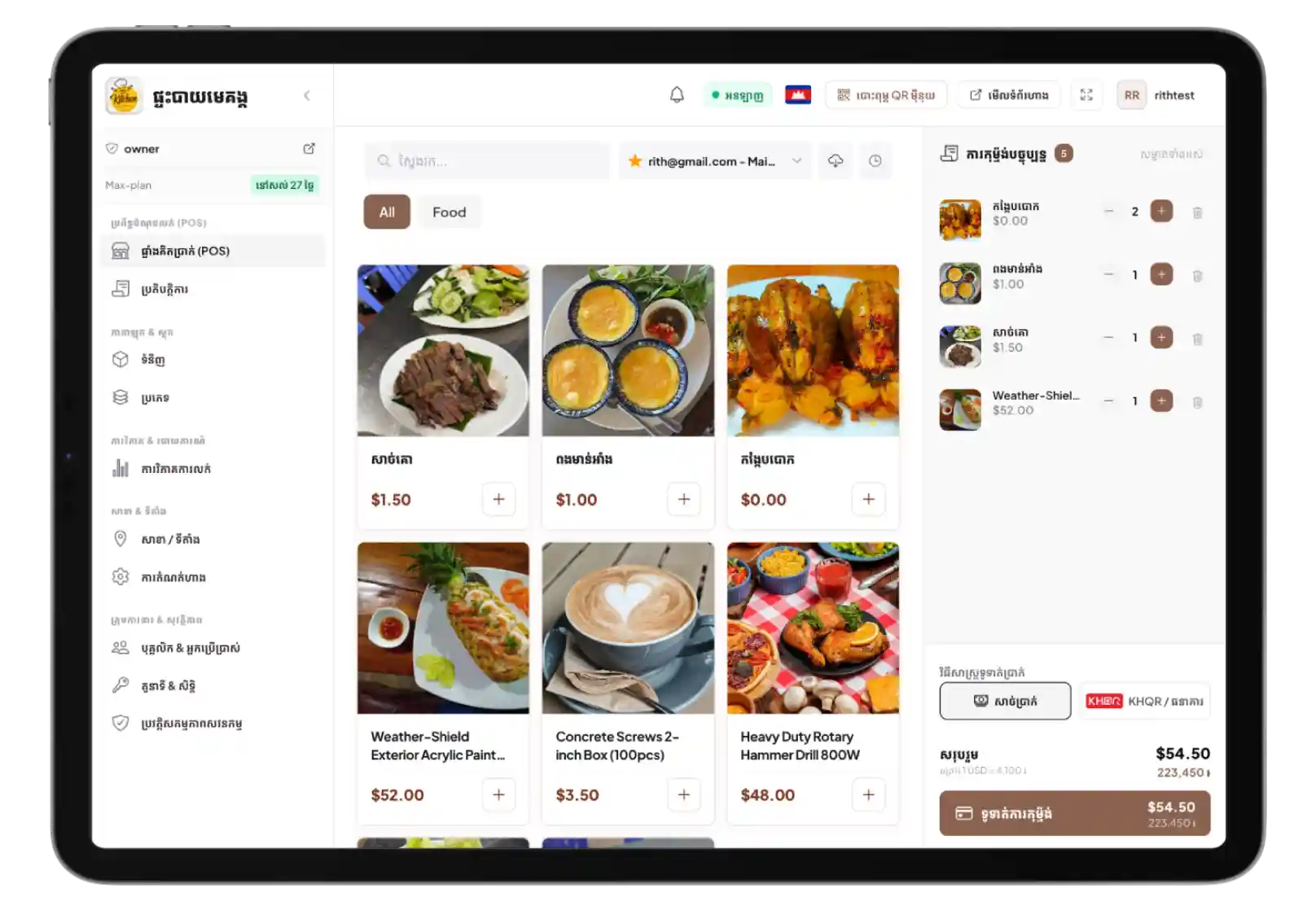
Effortless to Use. Lightning Fast for Cashiers.
Empower your team with a crystal-clear, zero-learning-curve interface. Whether on an iPad, Android tablet, or desktop counter, ringing up orders and managing tickets takes just seconds.
Simple Touch Workflow
Intuitive item selection and instant checkout designed for fast-paced cashiers and servers.
Dual-Currency & KHQR Ready
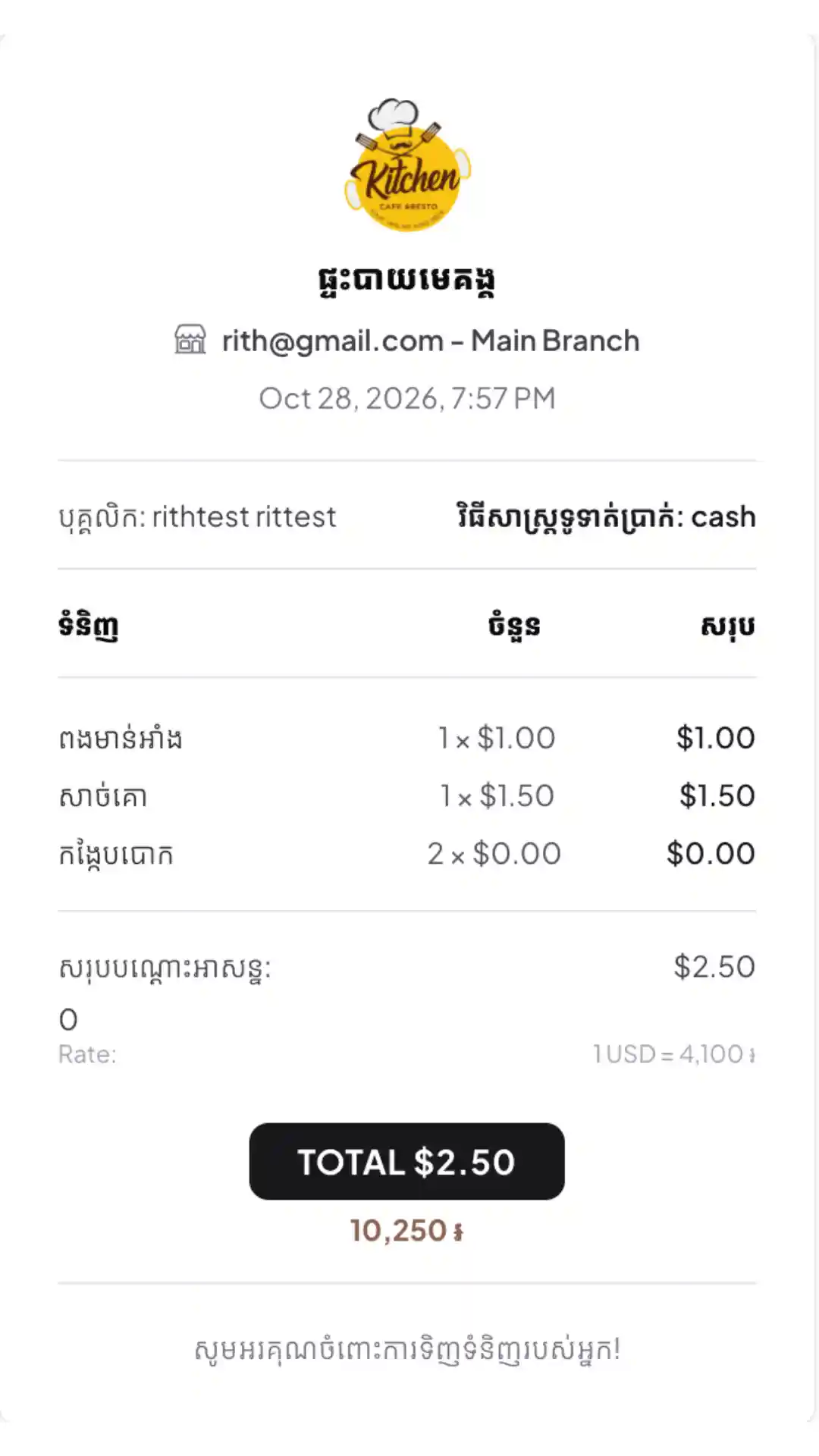
Automatic real-time USD and KHR conversion with Bakong KHQR dynamic payment codes.
Offline-Resilient Engine
Keep selling uninterrupted even when the internet drops; auto-syncs when reconnected.
Instant Thermal Printing
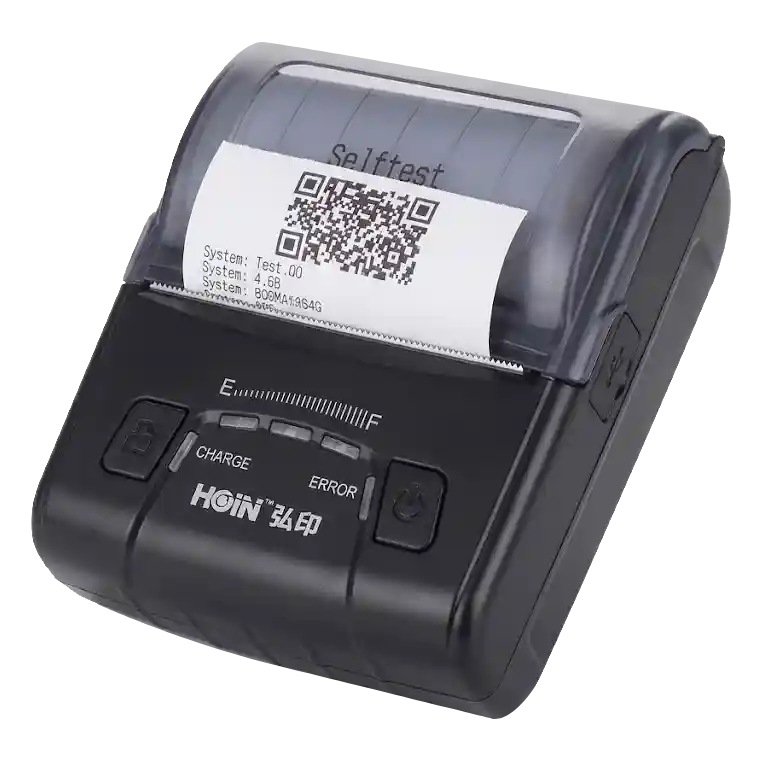
Direct wireless Bluetooth and USB ESC/POS receipt generation without heavy drivers.
Delight Customers with Instant Digital Ordering
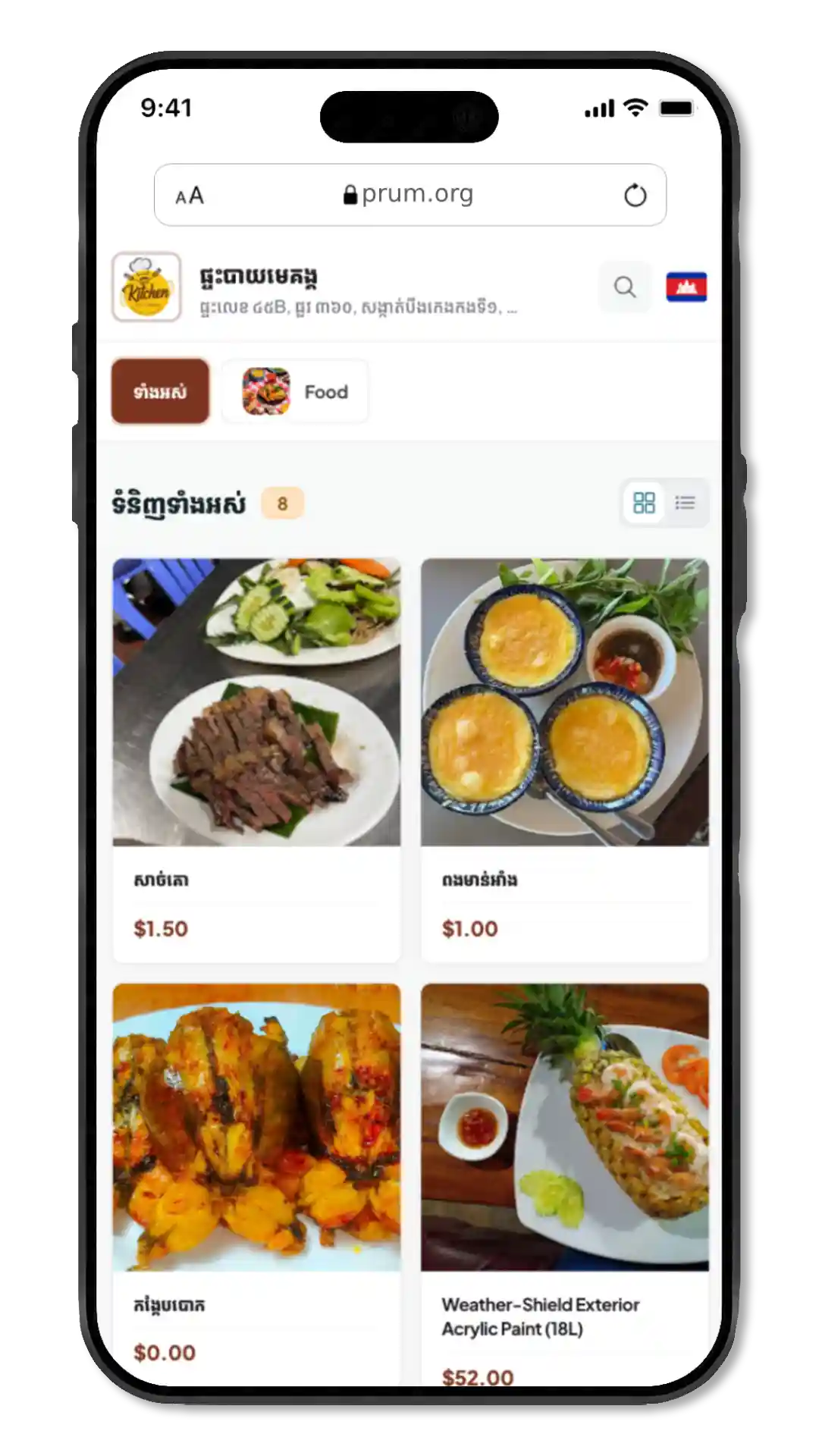
Say goodbye to expensive paper menu reprints. Customers simply scan the QR code on their table to browse high-definition photos, customize their dishes, and view total prices in real time.
Zero App Download
Diners instantly scan a table QR sticker to browse the live menu directly in their browser.
Interactive Visual Catalog
High-res food photography, portion options, toppings, and item modifiers at their fingertips.
Instant Live Updates
Change prices, toggle out-of-stock items, or update seasonal specials instantly with no reprint costs.
Bilingual English & Khmer
Seamless multi-language switching to welcome both local diners and international tourists.
Connect Your Printer & Print Receipts Instantly
Effortlessly pair any standard thermal receipt printer to the POS system. Once linked, every completed checkout prints an official receipt on the spot.
1. Connect to the System
Quickly link your thermal printer to the POS device via Bluetooth, USB, or local network with no driver setup required.
2. Print Out the Receipt
Every completed checkout automatically sends the bill to your printer and prints out a clean customer receipt on the spot.